Downloads
Free software for astrophotographers
Free software for astrophotographers – built at the telescope.

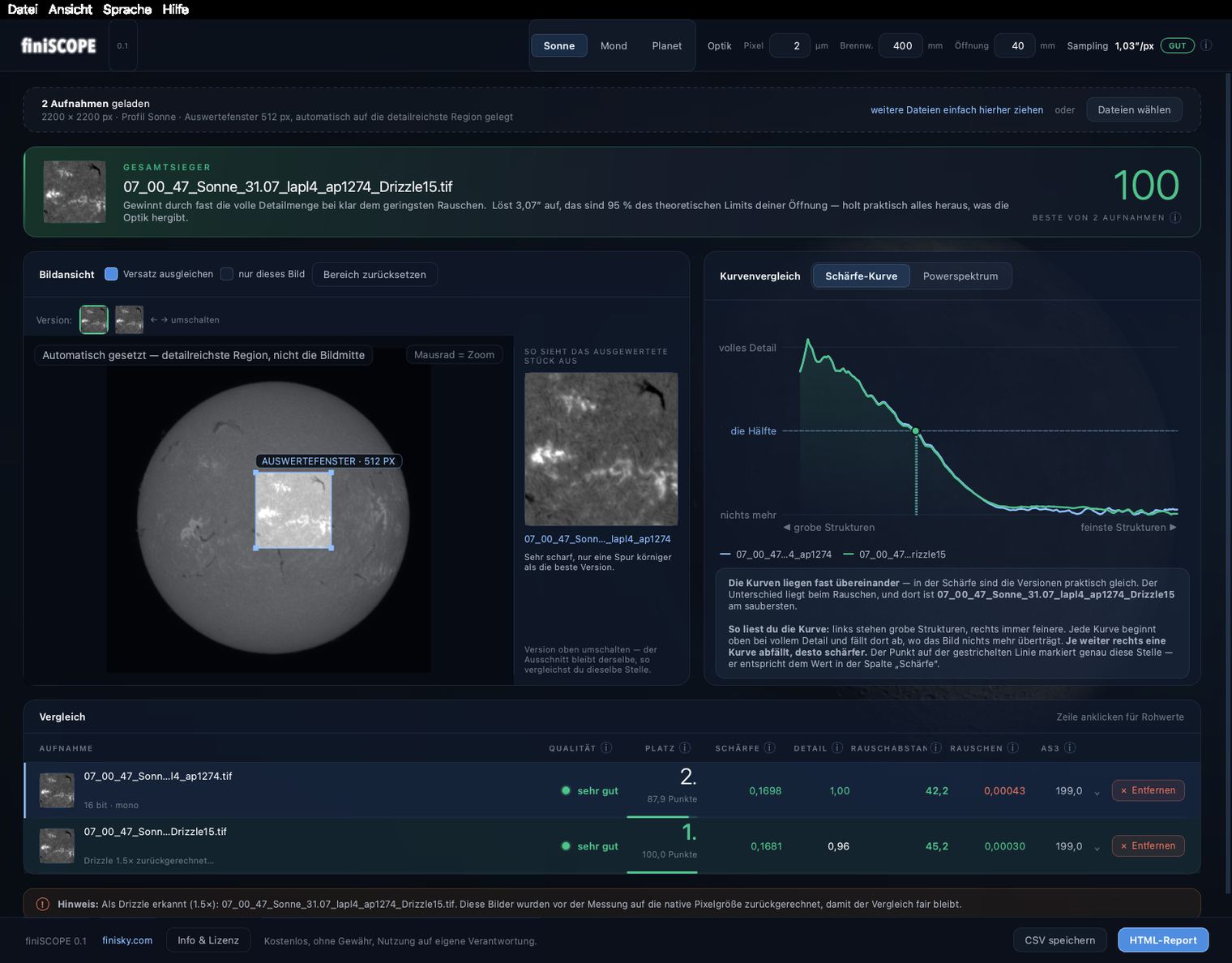
Which of your stacked versions is really the best? finiSCOPE measures sharpness, detail and noise – and tells you in one sentence. For Sun, Moon and planets.
v 0.2
Windows & Mac
runs offline
free · MIT license
For Windows
Windows 10/11 · ZIP · 116 MB
For Mac
Apple Silicon · macOS 11 or later · 97 MB
Manual
Step by step
Details
close
MIT license · no warranty, use at your own risk
What exactly does finiSCOPE do?
Stacking quickly produces many variants of the same image – different frame percentages, noise-robust levels, with and without drizzle – and on screen they look almost identical. finiSCOPE measures them all by the same rules, assigns a score and explains the result in plain language. Drizzle is fairly resampled back before measuring, offsets between the stacks are aligned automatically, and the .as3 quality from AutoStakkert! is read along. With profiles for the Sun (H-alpha & white light), Moon and planets, export as HTML report and CSV. Interface in German or English – and everything runs completely offline.
Installation & first launch
Windows: Fully extract the ZIP and only then start finiSCOPE.exe – it will not run straight from the ZIP window, because the _internal folder is missing there. On first launch confirm “More info → Run anyway” (SmartScreen, normal for unsigned programs).
Mac: Open the DMG and drag the app into “Applications”. On first launch: right-click → “Open”. On macOS 15 (Sequoia) this no longer works – there, after the first launch attempt, open System Settings → “Privacy & Security”, scroll down and choose “Open Anyway”. Runs only on Apple Silicon Macs (M1–M4), not on older Intel Macs.
New in version 0.2
New measurement method for planets: sharpness is now determined by directly comparing the loaded versions instead of a method that requires surface structure. Nothing changes for Sun and Moon. Plus a support link inside the program.
ImPPG for Mac
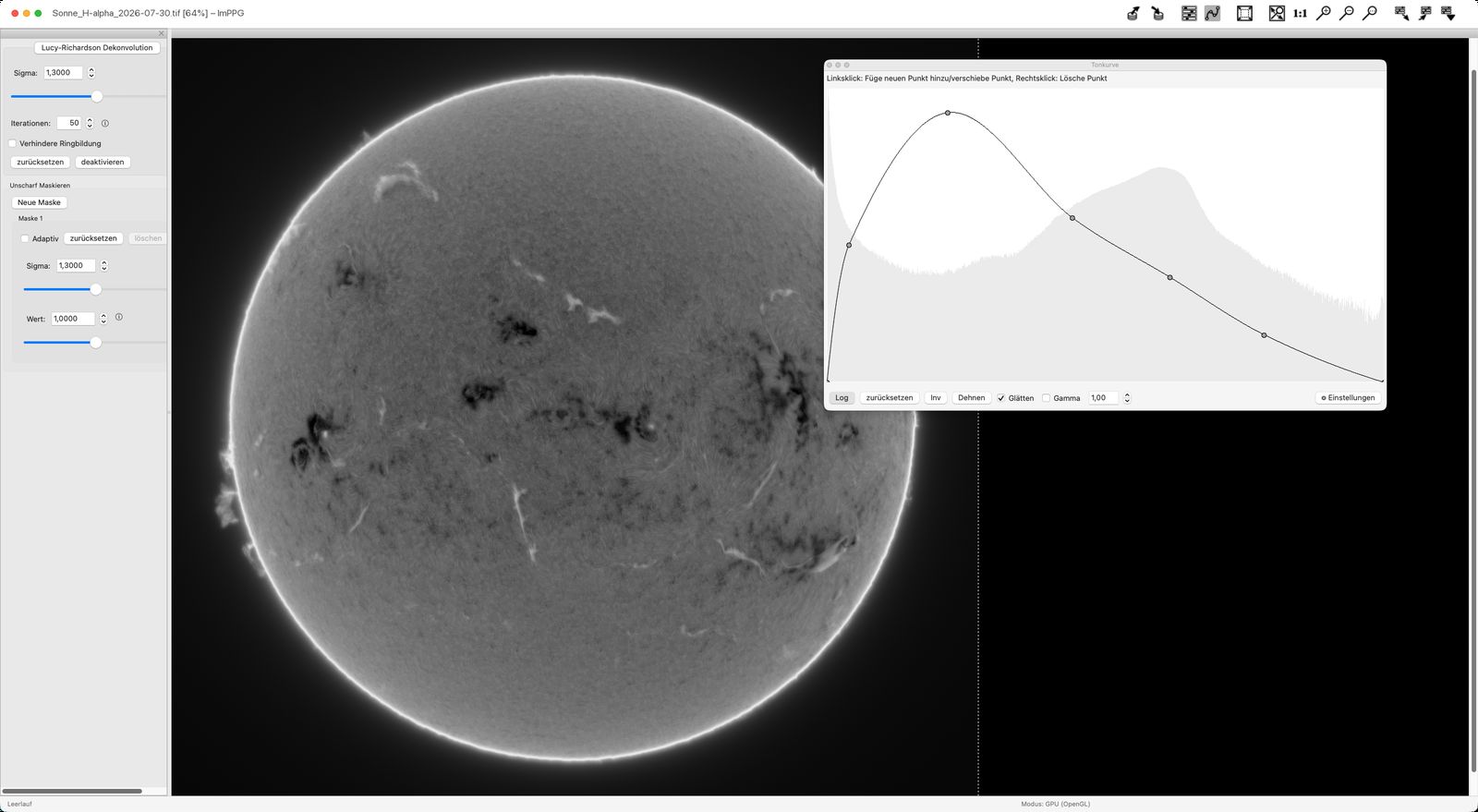
Sharpen astro images: deconvolution, unsharp masking, tone curves – plus aligning image sequences. Officially the program is Windows-only; this is a self-compiled Mac build.
Apple Silicon
macOS 26 or later
unofficial build
free · GPL v3
Details
close
GPL v3 · unofficial build, no warranty
Requirements
A Mac with Apple Silicon (M1–M5) and macOS 26 (Tahoe) or later. This build does not run on Intel Macs.
Installation & first launch
Extract the ZIP and drag ImPPG.app into “Applications”. On first launch macOS reports an unidentified developer – the app has no paid Apple signature. Close the warning, then open System Settings → “Privacy & Security”, scroll down and click “Open Anyway” next to the ImPPG notice. After that it starts without asking.
What's included
All features are active: GPU processing via OpenGL, multi-core support, FITS, Lua scripting and every image format. The interface is also available in German (Settings → Language). All required libraries are bundled – nothing else needs installing.
Important note on origin
This is an unofficial, modified build that neither comes from the ImPPG author nor is supported by him. I compiled and published it myself. Please direct questions about the Mac build to me – bugs that also occur in the official Windows version belong in the project repository. Tested on a Mac with Apple Silicon under macOS 26; no assurances for other configurations, use at your own risk.
Licence & source code
ImPPG is licensed under the GNU GPL v3, Copyright © 2015–2025 Filip Szczerek. Section 6 of the licence requires the complete source code to be available wherever the program is offered – so it is provided here, including the build script. Three changes were needed for the Mac build: the OpenGL binding and locating the translations.
Download source code (8.4 MB) just the changes as a patch (1.8 KB) Original project on GitHub
Free – and staying free.
If the program helps you, I'd be happy about a small donation towards many more clear nights. No obligation – the download starts either way.
The donation is handled securely via PayPal (support page) – the download starts at the same time.